


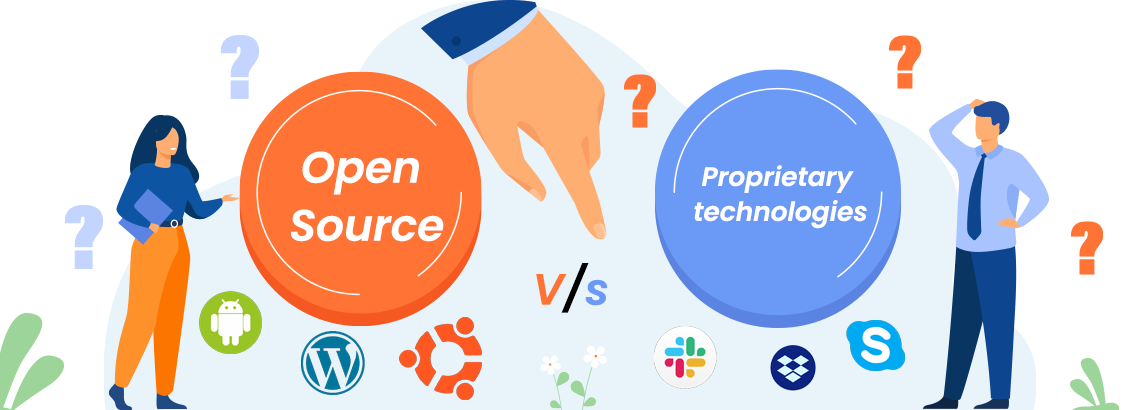
Proprietary technology and open-source technology are two surfaces of a coin. Proprietary technology is commercial software that can be purchased, leased, or licensed from its vendor/developer. If a piece of software doesn't say it's open-source, it isn't. A company owns a good part of all your code, content, data, and possibly any information you store on it — it all depends on the license you agree to.
Do you remember all the user agreements you clicked when signing up for apps you use daily? All of these agreements give companies a variety of access to your personal information, including for marketing purposes and other forms of data mining. In this blog we discuss:
- Advantages of open-source and proprietary software
- Disadvantages of open-source and proprietary software
- The difference between open-source and proprietary software
Difference between open source and proprietary software
Control. Developers and programmers are allowed to check and edit the source code of open-source software. More control means more flexibility, which means even non-programmers can benefit from open collaboration. Proprietary software, by contrast, limits control to the owner of the software.
Opacity. The internal arrangement of proprietary software is strictly closed. View restrictions prevent end-users from editing the code for possible debugging. Open-source promotes open sharing, which means faster bug fixes with fewer complications.
Security. Since anyone with the required knowledge can add or modify features to improve the source code, this allows for better durability, as errors are often corrected quickly. Because developers can operate without restriction, they can fix errors that the original developers or publishers may have missed.
Advantages of open source software
1. No vendor lock-in. IT managers face ongoing frustration with vendor lock-ins — lack of portability, expensive license fees, and inability to customize. Open-source software gives you more freedom to deal with these disadvantages effectively.
2. Scaling and consolidating. Linux and open-source software can be quickly scaled. With a variety of options for clustering, load balancing, and open source applications such as email and databases, you can grow your organization flexibly.
3. Lesser hardware costs. Because Linux and open source solutions are easily portable and compact, less hardware power is needed to perform similar tasks than on servers such as Solaris or Windows. You can even use cheap or old hardware and get the desired results.
Disadvantages of open source software
1. User friendliness. Not all open-source applications are easy to use. The graphical user interface may not be user-friendly, and only tech-savvy people will understand it. Organizations may need to train employees or hire trainers, which adds cost.
2. Lower customized support. Open source code often has no documentation, so it may be difficult for the user to fully understand. Users can freely modify and upgrade the software based on their needs and understanding.
3. Support. It is common to encounter technical issues, and unlike proprietary software, open-source does not offer extensive support. Because multiple developers create open-source software, only one person is not responsible for an error. The alternatives are to contact the supplier or rely on third-party support services.
Advantages of proprietary software
1. License limitations. Proprietary software is often limited to one computer or network. The license you purchase is usually valid on only one device; you typically need a separate license for each additional device.
2. Lack of customization. Proprietary software is an external solution with minimal adaptability. Unlike open-source software, it cannot be tailored to your business. Take Microsoft Word — you can rearrange the menu or toolbar, but you cannot change its basic functionality.
3. Range of functionality. Proprietary software is usually designed for monetization, so the developer must put a lot of effort into ensuring the best user experience — making the software easy to use and full of impressive functionality.
Disadvantages of proprietary software
1. Developer support. With proprietary software, you rely on the developer for all updates, support, and improvements. Depending on the size of the development team, updates may be slow, and it may take time to resolve security holes or other issues.
2. Security issues. Open-source software is generally designed to deal with security threats because the source code is public — as many eyes look for flaws, dangers become more apparent. Proprietary systems rely on the development team to identify problems, or worse, vulnerabilities discovered in the wild.
3. Cost. The biggest flaw of proprietary software is the licensing fee. Developers sell their products and charge for access. Open-source software is usually cheaper, and in some cases available for free.
Conclusion
Both open-source and proprietary software are different types of software that differ across various categories. While open source offers open collaboration, proprietary software offers limited support. Open source has flexibility, while proprietary software has limited flexibility.
Sodel Solutions is a top software development company that develops software on all open source technologies and delivers fully adapted software solutions to clients. We are a team of qualified, skilled engineers with the best mentors to convert your necessities into reality using open source. Contact us for more details.
Comments
Anna Colins
1 Oct 2021
A fascinating read! The way this topic continues to reshape how we approach technology and business is remarkable. Looking forward to more insights from the Sodel Solutions team.
Tomm Ostin
1 Oct 2021
Very well explained. This is exactly the kind of deep-dive content I was looking for. The examples make the concepts much easier to grasp.